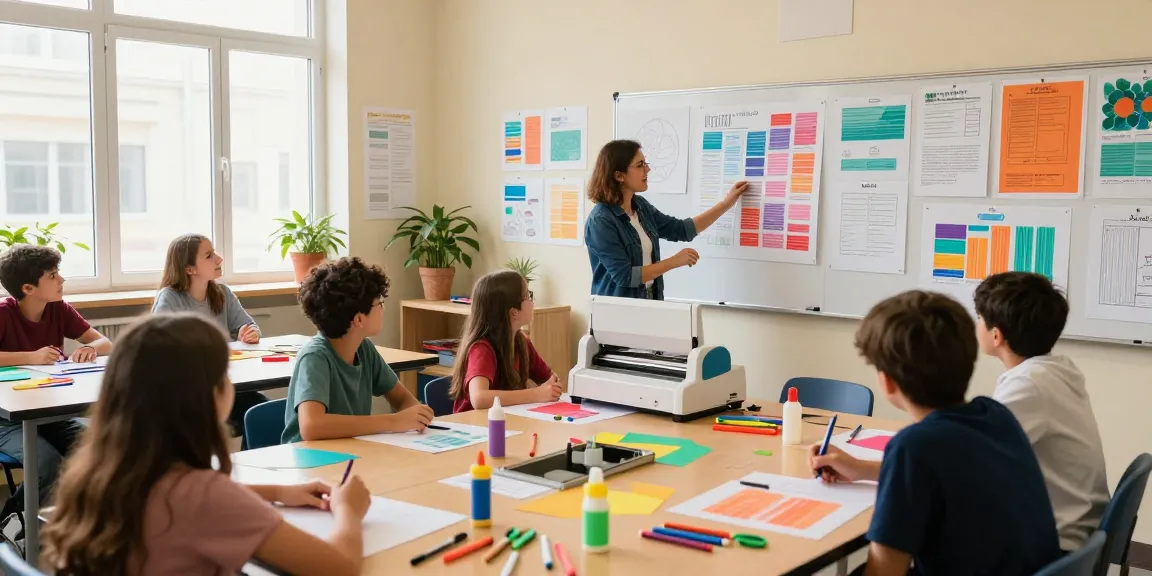
Understanding the Poster Making Machine
In today's fast-paced educational environment, the ability to create engaging visual aids is essential. A Poster Making Machine enables schools and teachers to produce high-quality posters quickly and efficiently, helping to enhance classroom learning and communication. With numerous models and features available, understanding what a poster making machine is and how it can benefit educational institutions is key for making an informed choice.
What is a Poster Making Machine?
A poster making machine is a specialized printer designed to create large-format prints, typically used for educational displays, promotional materials, and artistic presentations. Unlike standard printers, these machines can produce posters in various sizes, often exceeding traditional paper dimensions. They are equipped to handle different paper types and thicknesses, enabling users to print vibrant images, text, and graphics that capture attention.
Key Features to Look For
- Print Quality: Look for machines that offer high resolution (at least 1200 dpi) to ensure sharp images and text.
- Print Speed: Consider the speed of the printer, which can range from a few seconds to several minutes per poster, depending on size and complexity.
- Versatility: A good poster maker should be able to handle various media types, including glossy and matte finishes.
- Connectivity: Wireless connectivity options allow for easy printing from multiple devices, enhancing usability in a school environment.
- Software Compatibility: Compatibility with popular design software, such as Adobe Creative Suite, ensures that educators can leverage existing skills and tools.
Common Uses and Applications in Schools
Poster making machines are invaluable in educational settings. They are commonly used for:
- Creating classroom decorations that align with lesson themes.
- Producing informational posters for school events and activities.
- Designing visual aids for student presentations, allowing for creativity and effective communication.
- Supporting school marketing efforts by generating banners and promotional materials for open houses and community engagement.
Choosing the Right Poster Making Machine for Your Needs
When investing in a poster making machine, it's crucial to assess specific needs, including budget, space, and intended use. Selecting the right model can greatly enhance productivity and creativity in the classroom.
Factors to Consider when Buying
- Budget: Determine how much you are willing to spend, keeping in mind the long-term benefits of high-quality printing.
- Space: Evaluate the available space in your classroom or school office for the machine, ensuring it's accessible yet unobtrusive.
- User-Friendliness: Select a model that is easy to operate, especially for those with little technical experience.
- Support and Warranty: Choose a machine from a reputable brand that offers good customer support and warranty coverage.
Top Models for Educational Institutions
Several models stand out for their suitability for educational environments. Notable options include:
- Epson SureColor T3170: Known for its excellent print quality and compact design, making it ideal for small spaces.
- Canon imagePROGRAF PRO-1000: Offers stunning color accuracy and a variety of media handling options.
- HP DesignJet T210: A versatile option that combines affordability with high-quality output.
Budgeting for Your Poster Making Needs
Budgeting for a poster making machine involves more than just the initial purchase price. Consider ongoing costs such as ink, paper, maintenance, and potential software upgrades. Establishing a budget helps ensure that you can create stunning classroom materials without overspending.
Setting Up Your Poster Making Machine
Once you've chosen the perfect poster making machine, setting it up properly is vital for optimal performance. A well-executed setup can significantly enhance the quality of your prints.
Installation Tips and Tricks
- Read the user manual thoroughly to understand installation requirements.
- Ensure the machine is placed on a stable surface to avoid vibrations during printing.
- Connect the printer to your network for easy access from different devices, following the manufacturer's instructions.
Calibrating for Optimal Performance
Calibration is essential for precise color representation and print quality. Regularly check for proper alignment and adjust settings within the printer's software to ensure that colors and graphics appear as intended.
Essential Maintenance Practices
- Regularly clean print heads and nozzles to prevent clogs and maintain consistent ink flow.
- Use high-quality paper to minimize dust and debris that could affect print quality.
- Schedule routine maintenance checks based on the manufacturer's recommendation to extend the life of your machine.
Designing Effective Posters with Your Machine
The ability to design posters effectively is as important as the machine itself. Utilizing the right tools and principles can elevate your creations from ordinary to extraordinary.
Best Software for Poster Creation
Utilizing high-quality design software is crucial for producing professional-looking posters. Recommended software includes:
- Adobe Illustrator: Offers advanced vector design tools perfect for detailed graphics.
- Canva: A user-friendly platform with ready-made templates suitable for educators.
- Microsoft PowerPoint: Often overlooked, it is great for creating simple posters quickly.
Color Theory and Design Principles
Understanding color theory and basic design principles, such as balance, contrast, and alignment, is vital for creating visually appealing posters. Experiment with color combinations to enhance readability and engagement.
Incorporating Educational Content Effectively
When designing educational posters, it’s essential to incorporate content that aligns with learning objectives. Use clear headings, bullet points, and images to break down complex information into digestible segments.
Future Trends in Poster Making Machines
As technology continues to evolve, so too will the capabilities of poster making machines. Staying informed about these trends is essential for maximizing your investment.
Innovations to Watch in 2026
Expect advancements in areas such as eco-friendly printing materials, enhanced connectivity options, and AI-driven design assistance that can help educators create visually stunning and effective posters.
The Role of Digital Technology in Poster Making
Digital technology will play a significant role in streamlining the poster creation process. From cloud-based design software to machine learning algorithms that suggest design layouts, the future of poster making is set to become even more accessible and efficient.
Preparing for Evolving Educational Needs
As educational needs shift towards more interactive and engaging forms of learning, poster making machines will continue to be an essential tool. Adapting to these changes and being open to new technologies will enhance the educational experience within schools.
How Do I Choose the Best Poster Making Machine?
To select the best machine, assess your specific needs, including the types of posters you will create, budget constraints, and available space. Research various models and seek recommendations from other educators to make an informed decision.
What Are the Benefits of Using a Poster Making Machine in Schools?
Poster making machines provide numerous benefits, including enhancing student engagement, allowing for quick production of materials, and fostering creativity among students and teachers alike.
Can I Create Digital Posters Using My Machine?
Yes, many poster making machines support digital formats, enabling you to create posters that can be shared online or printed as needed, significantly broadening the scope of educational materials.
What Maintenance Does a Poster Making Machine Require?
Maintenance typically includes regular cleaning of print heads, ensuring proper ink levels, and updating software as needed. Following manufacturer guidelines will help prolong the machine’s lifespan.
Are There Eco-Friendly Options for Poster Making Machines?
Yes, many manufacturers are now offering eco-friendly printing options that utilize sustainable materials and low-energy consumption designs. These machines are ideal for schools looking to minimize their environmental impact.